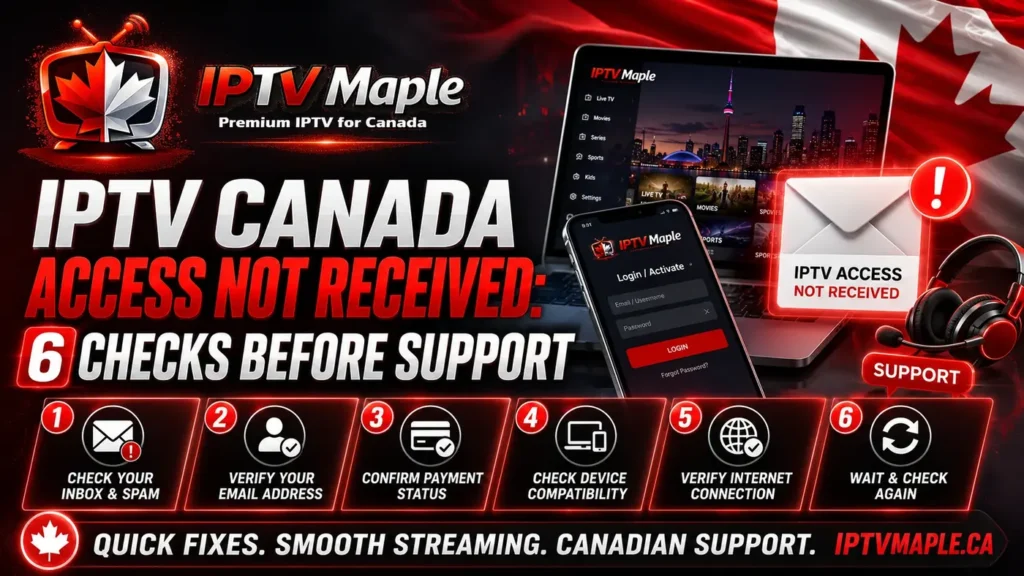
IPTV Canada Access Not Received: 6 Checks Before Support
IPTV Canada Access Not Received is one of the most common questions after an order. In many cases, the issue is not a technical failure but a simple delay, a missed email, a payment status detail, or confusion about where the access information should appear.
This guide explains what to verify before sending a support request. The goal is to keep the process simple: check the email used during purchase, review spam or junk folders, confirm payment status, allow a reasonable time window, and prepare a clear message if support is needed. For the complete post-purchase process, users can also review the IPTV Canada Support Guide.
Why IPTV Canada Access Not Received can happen
The message IPTV Canada Access Not Received does not always mean the access was never prepared. Sometimes the details were sent to another email folder, sometimes the payment is still being processed, and sometimes the user is looking for the wrong type of message.
This situation is different from a login issue. If the access details already arrived but they do not work inside the app, that is another topic covered in IPTV Canada login not working. Here, the focus stays on missing access information before the user can even try the first login.
If you are still in the first post-purchase stage and want a broader explanation of what should happen next, the guide IPTV Canada activation can help you understand the normal sequence after an order.
1. Check the email used during purchase
The first step when dealing with IPTV Canada Access Not Received is to verify the exact email address used during the order. Many users have more than one email account and may check the wrong inbox first.
Review the purchase confirmation if available and make sure the order was submitted with the expected address. If the wrong email was entered during checkout, the access details may have been delivered somewhere else.
A good habit is to check the inbox attached to the purchase, then confirm whether the order confirmation, support replies or any follow-up emails are visible there.
2. Look inside spam, junk and promotions folders
A very common cause of IPTV Canada Access Not Received is that the message lands in spam, junk or promotions instead of the primary inbox. This is especially common when the email contains automated delivery details or arrives from a sender you have not contacted before.
Check every relevant folder carefully. Search by the order email, the service name, or key terms such as activation, access, login, order or support. Even if the main inbox looks empty, the message may still be stored somewhere else.
Microsoft explains how mail can go to the wrong folder in its guide about Junk folder by mistake. That overview can help when you suspect the message was filtered automatically.
3. Confirm the payment status
Another reason for IPTV Canada Access Not Received is that the payment may still be pending, incomplete or not fully confirmed yet. If the order has not moved past that stage, the access details may not be ready.
Before contacting support, confirm whether you received a payment confirmation or any notice showing that the order is complete. If the payment is still under review, the missing access message may simply be related to timing rather than a delivery problem.
Users should avoid mixing payment confirmation with access delivery. These are connected, but they are not always the same step. Access usually comes after the order is successfully validated.
The user submits the request and should keep the purchase email ready.
It is important to verify whether the payment looks confirmed or still pending.
Only after the order is properly processed should the access details normally appear.
4. Give the order a reasonable activation window
Some users contact support too quickly because they expect instant delivery every time. In practice, IPTV Canada Access Not Received can simply reflect a normal waiting period while the order is being processed.
The best approach is to check the order time, the payment confirmation and any messages already received. If only a short time has passed, it may be reasonable to wait a bit before assuming there is a problem.
At the same time, waiting without checking anything is not useful. The right balance is simple: verify your email, verify payment status, then allow a reasonable window before writing to support.
5. Search for confirmation or access keywords
When IPTV Canada Access Not Received appears to be the issue, users often search the inbox too broadly. A better method is to look for specific keywords related to the order or access message.
Search terms such as access, activation, login, order, support, payment, details or confirmation may help you find a message that was missed at first glance. Sometimes the email is present, but the subject line does not match what the user expected.
This is also a good moment to verify whether the order confirmation itself contains extra instructions or explains what type of follow-up email should arrive next.
6. IPTV Canada Access Not Received: when to contact support
If the email address is correct, spam and junk folders were checked, payment status looks clear and a reasonable time has passed, support should be contacted with a structured message.
This is the best moment to explain that IPTV Canada Access Not Received is the current issue. A short but complete message will help support verify the order faster than a vague sentence such as “nothing arrived.”
Users who want a wider support reference can also return to iptv canada and follow the support articles that match the exact situation.
What to include in your support message
A clear support message should include the email used for the order, the approximate purchase time, whether the payment looks confirmed, and the fact that you already checked spam or junk folders.
It also helps to mention whether this is only an access-delivery problem or whether another step has already started. For example, if you never received any details at all, say that clearly instead of jumping directly into login or app-related questions.
Order email, order time, payment status, folders checked and a clear sentence saying that no access details have been received yet.
“It does not work” or “please help” without any context makes support slower because the first reply will ask for basic information again.
IPTV Canada Access Not Received checklist
Before contacting support, go through this list once. It helps keep the request clear and saves time.
- Verify the email used during the order.
- Check inbox, spam, junk and promotions folders.
- Confirm whether payment looks completed or pending.
- Review the order time and any confirmation messages.
- Search for keywords such as access, activation, login or support.
- Prepare a short message explaining that no access details were received.
- Include what you already checked before asking for help.
Simple support message example
If you still have IPTV Canada Access Not Received, you can send a message like this:
- Hello, I placed an order using this email address.
- I checked my inbox, spam, junk and promotions folders.
- I did not receive the access details yet.
- My payment appears confirmed / my payment may still be pending.
- The order was placed at approximately this time.
- Can you please verify the status of the access delivery?
Common mistakes before relaunching support
The first mistake is writing to support too quickly without checking the basic email folders. In many cases, the message is already there but simply not visible in the main inbox.
The second mistake is not confirming the payment status. If the order is still pending, support may need that information before sending or verifying access.
The third mistake is mixing this issue with login or app problems. If IPTV Canada Access Not Received is the real issue, the user should focus on delivery, not on app setup or credentials.
The fourth mistake is sending several short follow-ups without details. One clear message is usually more useful than many small messages with no context.
FAQ about IPTV Canada Access Not Received
Why does IPTV Canada Access Not Received happen?
IPTV Canada Access Not Received can happen because the email was sent to spam or junk, the wrong email address was used, the payment is still pending, or the order is still within a normal processing window.
Should I contact support immediately?
Not always. First check the email address used during purchase, review spam and junk folders, confirm payment status and allow a reasonable time window.
Can the access email go to spam?
Yes. Automated or unfamiliar messages can sometimes be filtered into spam, junk or promotions instead of the main inbox.
What should I include in my support request?
Include the order email, order time, payment status and the fact that you already checked all email folders but did not receive the access details.
Is this the same as IPTV Canada login not working?
No. Access not received means no details arrived. Login not working means the details arrived, but they are not working correctly in the app.
What if I used the wrong email during checkout?
That can explain why the access did not appear in the inbox you checked. In that case, support should be contacted with the correct order context as soon as possible.
Conclusion: keep IPTV Canada Access Not Received simple
IPTV Canada Access Not Received should be handled with a clear method: verify the purchase email, check all message folders, confirm payment status, allow a reasonable delivery window and then contact support with useful details.
This simple process avoids confusion and keeps the support request focused. In 2026, the fastest way to solve a missing access issue is not to panic, but to check the basics carefully and send one structured message when needed.





