When Your TV Guide Shows the Right Program at the Wrong Time
An IPTV guide time offset occurs when scheduled programs appear earlier or later than expected. The correct show may be listed, but its displayed start time does not match the actual broadcast schedule.
Before adjusting anything, identify how large the difference is and whether it affects every channel. For Canadian viewers, the device clock, local time zone, channel feed and application settings can all influence what appears in the electronic program guide.
This practical guide covers five checks to help you find the source of the mismatch without introducing another timing problem.
Understand the Time Difference Before Changing Settings
A wrong schedule time is not necessarily a problem with live video. The channel can play normally while the guide displays the correct title at an incorrect hour. That distinction matters because playback troubleshooting will not automatically repair scheduling information.
If you are new to reading TV schedules, start with our IPTV program guide overview. It explains how channel names, program titles, dates and time slots work together.
Identify the difference between expected and displayed times.
Check the device clock and other channels before editing.
Change one relevant setting and confirm the result.
1. Measure the IPTV Guide Time Offset First
Start with a program whose expected broadcast time you can confirm independently. Compare that time with the start time displayed by your IPTV application. Use the same channel feed and the same calendar date.
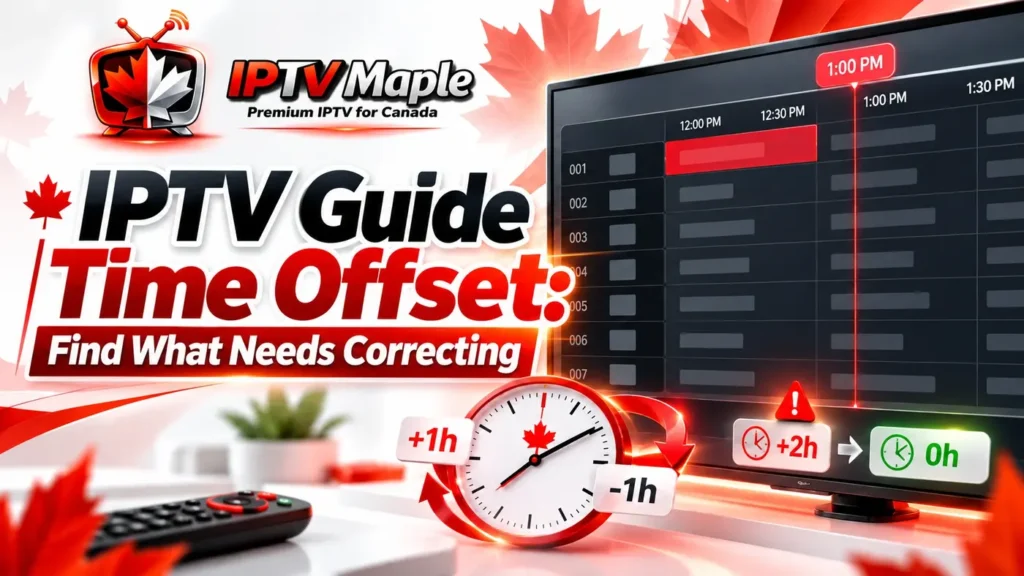
For example, imagine that a fictional evening program is expected at 7:00 p.m., but your guide lists it at 8:00 p.m.. The displayed schedule is one hour ahead of the expected time.
Write down the channel, program title, expected time, displayed time and measured difference. This gives you a reference for later testing.
Important: A displayed difference of +60 minutes does not automatically mean you should select -1 hour in the app. Some controls use different conventions, and the mismatch may not come from an adjustable EPG setting.
2. Check Your Device Clock and Time Zone
The next step is to verify that your streaming device knows the correct local time. A TV box, Smart TV or phone with an incorrect time zone can display confusing scheduling information even when the guide data is valid.
Compare the current device clock with a reliable local time reference. Then inspect the device’s date, time zone and automatic time settings where available. Menu names vary between operating systems.
Canada does not follow one nationwide clock rule. Provinces, territories and some local communities have different time-zone or seasonal-clock arrangements. The Canadian time zones and daylight saving time resource from the National Research Council provides background and directs readers to provincial or territorial authorities for current rules.
This is especially important around seasonal clock changes or when a region adopts a new time standard. Do not assume that a setting used last year remains correct today.
Correct the local clock or time-zone configuration first, then reopen the guide and compare the same program again.
Keep the device settings unchanged and continue checking whether the schedule difference is channel-specific.
If automatic time is already working correctly, avoid manually forcing a different zone simply to make one television listing look right.
3. Compare the Same Program Across Channels
An IPTV guide time offset may affect several channels or only one feed. Checking a second reliable listing helps distinguish a general timing problem from a channel-specific mismatch.
Use confirmed schedules for two or three channels, preferably with known programs at different times. Record the difference for each one rather than assuming that every entry follows the same pattern.
| Channel | Expected | Displayed | Difference |
|---|---|---|---|
| Channel A | 7:00 PM | 8:00 PM | +60 min |
| Channel B | 6:30 PM | 7:30 PM | +60 min |
| Channel C | 8:00 PM | 8:00 PM | 0 min |
This fictional comparison shows that Channels A and B share a one-hour difference, while Channel C does not. A single global adjustment could therefore correct two channels and make the third inaccurate.
Also verify whether you are comparing the correct regional feed. Two versions of a channel may carry different schedules. If the clock is reasonable but the program itself does not match the listing, the issue may involve channel mapping rather than an ordinary time offset.
Diagnostic rule: Only consider a shared timing adjustment when the evidence supports a consistent difference across the channels that adjustment would affect.
4. Review the EPG Time-Shift Setting
Some IPTV applications provide an EPG offset, guide correction or time-shift setting. Depending on the player, the adjustment may apply to the entire guide, a playlist or individual channels.
Not every application exposes this control, and the available units may differ. One app might accept minutes, while another uses whole hours or a limited selection of predefined values.
Before making a change, record the original setting. Confirm whether the adjustment affects guide information rather than live playback.
Changes the displayed scheduling time or how program metadata is interpreted by the application, if supported.
May refer to pausing, rewinding or watching delayed video. It is not automatically a guide-clock correction feature.
If the setting clearly controls EPG timing and your measured difference is consistent, make one calculated adjustment using that application’s documented direction and units.
Never apply a guessed value to every playlist or channel. If the application has no suitable control, leave unrelated settings alone and document the mismatch for further investigation.
5. Test the Result Before Keeping the Change
After adjusting a relevant setting, return to the exact channel and program used in your first measurement. Reopen the guide if necessary and compare its displayed time with the independently confirmed schedule.
A corrected IPTV guide time offset should be demonstrated by an observable improvement, not simply by the fact that you changed a number.
What Counts as a Successful Test?
In our example, the listing originally appeared at 8:00 p.m. instead of 7:00 p.m. If the guide now shows 7:00 p.m. on the intended feed, the initial mismatch has been resolved for that entry.
Check another program as well. A correction that works for one listing but shifts several others incorrectly is not a reliable global solution.
Expected: 7:00 p.m.
Displayed: 8:00 p.m.
Difference: +60 minutes.
Expected: 7:00 p.m.
Displayed: 7:00 p.m.
Difference: 0 minutes.
If the result becomes worse, restore the original setting. If the guide remains incorrect despite accurate device time and consistent testing, the source schedule or feed association may need to be reviewed by the relevant provider.
IPTV Guide Time Offset Checklist
Before treating the problem as fixed, use this checklist to confirm the important details.
- Confirm a program’s expected time using a reliable schedule for the correct feed.
- Measure the displayed difference in minutes.
- Check the device’s date, clock and local time zone.
- Compare at least one additional channel.
- Identify whether an EPG-specific adjustment exists.
- Save the original setting before changing it.
- Test the original program and another listing.
- Restore the setting if the correction causes new mismatches.
What If the TV Guide Time Is Still Wrong?
When the clock is correct and a controlled test does not resolve the mismatch, avoid repeating the same adjustment without new information.
Prepare the channel name, regional feed if known, expected start time, displayed start time, device model, application name and any setting you changed. A screenshot of the affected listing can also help.
Keep account credentials and passwords out of public screenshots. Share any sensitive information only through an appropriate private support channel.
If you are using IPTV Maple and need broader assistance with your setup, visit the iptv canada homepage for the site’s support and service information.
Remember that correct timing and correct program matching are two separate checks. A listing with a completely different show may require an investigation of the channel association rather than another clock adjustment.
Frequently Asked Questions About EPG Time Differences
Why is my IPTV guide one hour ahead?
A one-hour difference can result from time-zone handling, outdated scheduling information or an application-specific EPG adjustment. Measure the difference and check more than one channel before selecting a correction.
Should I always set my EPG offset to -1 hour?
No. The correct action depends on the app’s adjustment convention and the source of the mismatch. A minus-one-hour setting is not a universal fix for Canadian IPTV guides.
Can daylight saving time affect IPTV schedules?
Yes. Incorrect handling of seasonal clock changes can create timing differences. However, Canadian regions do not all use identical rules, so verify the current requirements for your exact location.
Why are only some channels showing wrong times?
Different channels may have separate schedule sources, regional feeds or guide associations. A channel-specific mismatch should not automatically be corrected through a global time adjustment.
Is an EPG time shift the same as replay?
No. An EPG time adjustment concerns scheduled program information. Replay or playback time-shifting involves watching video from an earlier point, when supported.
What should I do if the IPTV guide time offset remains?
Restore any unsuccessful adjustment and document the affected channel, expected time, displayed time, device clock and application. These details help determine whether further guide-data investigation is needed.
Conclusion: Correct the Cause, Not Just the Clock
An IPTV guide time offset is easier to investigate when you begin with evidence. Measure the difference, confirm your local device time, compare channels and identify whether the application offers a suitable EPG adjustment.
The goal is not to force every schedule into the same time setting. It is to identify what needs correcting and verify the result without affecting channels that were already accurate.
For viewers in Canada, checking the applicable local time rules and testing one change at a time provides a more dependable approach than relying on a universal one-hour fix.