English App Menus, French TV Listings? Here’s What to Check
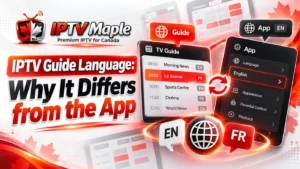
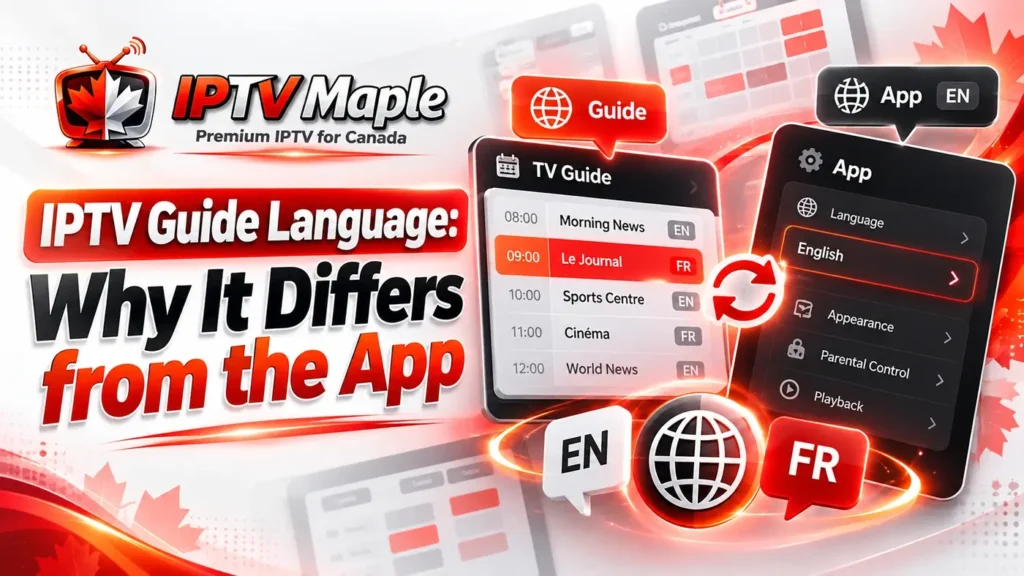
Your IPTV application may display English menus while the television guide shows French program titles or descriptions. The opposite can happen too. IPTV guide language does not always follow the language selected for the app interface.
For Canadian viewers, especially those moving between English and French television content, it helps to distinguish the language of the menus, the information supplied to the guide and the audio actually heard during a broadcast.
This article explains five practical checks to identify the difference and determine which settings, if any, are worth reviewing.
Three Different Languages Can Be Involved in One IPTV App
A television application can use several independent language settings or information sources. Seeing a French title does not necessarily indicate that your interface language has changed.
Understanding these three categories is the starting point for investigating IPTV guide language differences.
The language used for menus, buttons, navigation and application settings.
The language of program titles, episode details and descriptions.
The spoken language heard while watching a live television program.
These elements may coincide, but they do not have to. Subtitles are another separate feature and should not be confused with written guide metadata.
Remember: Switching the app menus from English to French does not guarantee a translation of program descriptions or a change to the television channel’s audio.
1. Identify Which Part of the IPTV Guide Uses Another Language
First, observe exactly where the unexpected language appears. Is the navigation interface different, or are only the program title and description written in another language?
For example, your app may display the button “Settings” in English while a program appears as “Histoires du littoral” in the guide. That observation points toward the listing information, not necessarily a problem with your app’s language preference.
Compare at least two channels. If only a few programs use French, the difference may be related to their supplied metadata rather than a guide-wide configuration.
Record the channel, title, description and interface language. This makes the IPTV guide language difference easier to identify without changing anything.
2. Compare Program Titles and Descriptions
Program titles and descriptions do not always use the same language. A title might remain in French while its description is available in English, or vice versa.
Consider this fictional example from a Canadian television guide:
Fictional program information • Illustration only
| Element | Displayed Content | Language |
|---|---|---|
| App Menu | Settings | ENGLISH |
| Guide Title | Histoires du littoral | FRENCH |
| Description | Découvrez les communautés côtières. | FRENCH |
| Broadcast Audio | English dialogue | ENGLISH |
Fictional example. The table does not imply automatic translation or audio selection.
In this scenario, the menus and audio are English, while both guide fields are French. Nothing about the example proves that a different language version of the listing is available.
When examining IPTV guide language, compare title and description separately rather than assuming that one determines the other.
3. Understand How EPG Language Metadata Works
Electronic program guide information can contain language-specific metadata. XMLTV, one format used for television listings, supports language attributes on elements such as the program title and description.
In XMLTV, title lang identifies
the language associated with a title, while
desc lang identifies the language
associated with a description. Those attributes
can differ, and a data source may contain
multiple language versions of a field.
<title lang="en">Coastline Stories</title>
<title lang="fr">Histoires du littoral</title>

<desc lang="en">Discover coastal communities.</desc>
<desc lang="fr">Découvrez les communautés côtières.</desc>
This fictional snippet demonstrates how English and French text may coexist in structured guide data. It does not represent the contents of any actual IPTV provider’s schedule.
The official XMLTV multilingual guide format documentation explains that XMLTV supports multiple languages and includes program metadata such as titles and descriptions.
However, format support does not guarantee application support. A player may display one available value, apply its own language preference or offer no language selection at all.
Technical distinction: XMLTV language tags describe written metadata. They do not establish the language of the broadcast audio, and their existence does not mean the app can translate listings.
This explains why an IPTV guide language mismatch can persist even when the application interface is correctly configured.
4. Check Whether Your App Offers a Guide Language Setting
Some IPTV applications include separate settings for their interface and guide information. Others provide only a general language option or automatically choose from available data.
Open your application’s supported language settings and identify what each control actually changes. Do not assume that an interface-language selection also controls EPG titles and descriptions.
Usually concerns menus and controls. Its effect on program metadata must be verified rather than assumed.
May influence the selected metadata language where the feature exists and suitable listings are available.
Record the original value before making a change. If no dedicated option appears, avoid unrelated settings or undocumented menu paths intended for another player.
When reviewing IPTV guide language settings, remember that the application cannot necessarily create an English or French description that the available metadata lacks.
5. Verify What Actually Changes After Selecting a Language
If your app offers a relevant language selection, make one controlled change and return to the same channel and program. Compare the title and description with the original values.
A useful test answers three separate questions: Did the menus change? Did the program title change? Did the description change? Do not use the broadcast audio as proof of an EPG metadata change.
Confirm that the expected language now appears on another program too. Check titles and descriptions separately.
The setting may control only the interface. Restore your preference and check whether other guide language options exist.
If nothing changes, it may mean the required metadata is unavailable, the app does not support choosing between versions, or the setting does not apply to EPG content.
An IPTV guide language preference should be considered successful only when the relevant written program information changes as expected.
When the Problem Is Missing Information, Not Language
A program description written in French is still available guide information. The same is true of an English title displayed in a French-language interface.
If the title or description is completely absent, the issue may concern data availability instead of a language preference.
For genuinely empty entries, you can check missing IPTV guide information . That guide focuses on absent scheduling details while live channels continue playing.
Do not treat unfamiliar language as missing information simply because it differs from the language you prefer.
IPTV Guide Language Checklist
Use this checklist to understand the difference before changing application settings.
- Identify the language of the app interface.
- Check the language of the program title.
- Check the description separately.
- Keep broadcast audio and subtitles separate from EPG metadata.
- Compare another channel or program.
- Look for a supported guide-language setting.
- Record the original preference before editing.
- Make one change and compare the same listing.
- Do not assume that automatic translation is available.
English and French TV Guide Information in Canada
Canadian viewers may encounter French and English program information across national, regional and specialty channels. The language shown in the guide may reflect what was provided by its metadata source.
A viewer in Québec may use an English interface while browsing French-language programming, and another household may prefer French app menus with English listings. Both situations are possible without a technical fault.
If you use IPTV Maple, visit the iptv canada homepage for broader service information and available support resources.
If a preferred language remains unavailable, document the app, channel and affected listing. This information is more useful to support than assuming the player has translated something incorrectly.
Frequently Asked Questions About IPTV Guide Languages
Why is my IPTV guide in French when the app is in English?
The program metadata may be supplied in French independently of the app interface. Check whether your player supports a separate guide-language preference.
Can I change EPG program titles to English?
Possibly, if your application supports language selection and suitable English metadata is available. Changing the interface language alone does not guarantee different titles.
Why is the title in English but the description in French?
Titles and descriptions can have separate language information. The guide source and player may handle those fields differently.
Does XMLTV automatically translate television listings?
No. XMLTV can represent text in multiple languages, but the format itself does not translate missing descriptions.
Will changing the guide language change the audio?
No automatic connection should be assumed. Broadcast audio, subtitles and guide metadata are separate elements with different controls and availability.
What if my app has no EPG language setting?
The app may choose automatically from available metadata or display one supplied version. Record the limitation and consult the player’s own documentation or support.
Conclusion: Understand the Language Source Before Changing Settings
IPTV guide language can differ from your application menus because the interface, program metadata and broadcast audio are independent parts of the viewing experience.
Start by identifying which text is in the unexpected language. Compare titles and descriptions, review supported app settings and verify one change at a time.
For Canadian households using English and French television services, the key is understanding what information is available and what the application can actually display—not assuming every listing can be translated automatically.